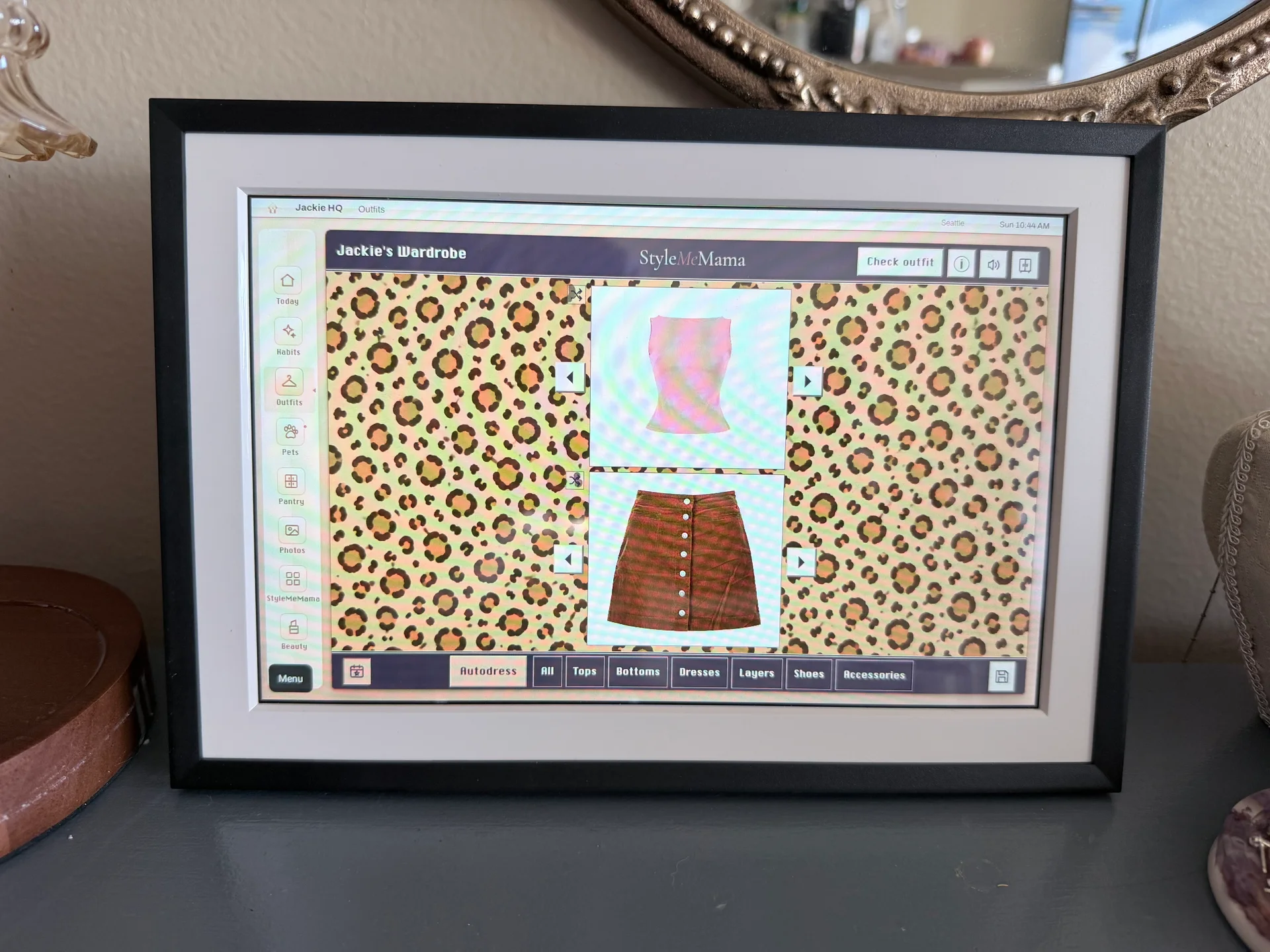
A digital wardrobe is a photo catalog of the clothes you own. It lets you see everything together, including the pieces in drawers or packed away for another season. You can start with a few favorites, save an outfit, and build from there.
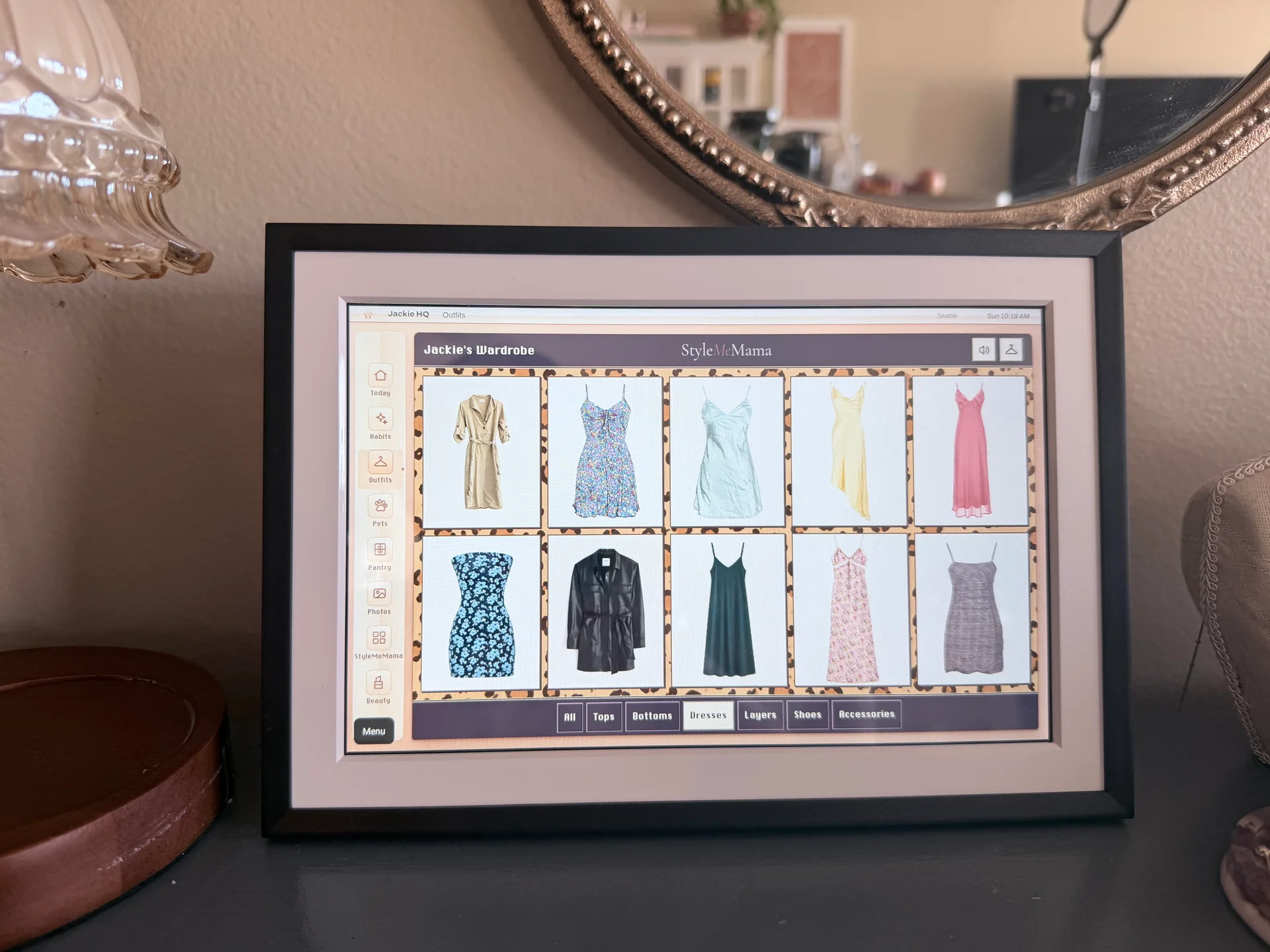
For me, this started with wanting to play with the clothes I already owned. It eventually became a Clueless-inspired wardrobe on a digital photo frame. But the useful part starts here: getting to know what you have, taking recognizable photos, and making those pieces easier to wear.
Thinking about clothes through a camera
I'm also a photographer. I spent years building my dog's social media account and traveling across the US while working remotely. I share that side of my life on Somewhere With Sora—the places, the photos, and the adventures with Sora.
Somewhere along the way, I became obsessed with finding the right piece for a shot. I might be filming with my drone or photographing myself in nature, thinking about how an outfit would sit against the landscape. I was drawn to warm palettes, but also to a vibrant color that could stand out in the scenery. The clothes became part of composing the photograph.

That's how I like to think about color theory: relationships. A shade can echo what's around it, or create enough contrast to draw your eye. I might choose a warmer palette for an image I want to feel inviting, or a vivid accent when I want more energy. Those are creative choices, and the light, setting, and person looking at the photograph all affect the feeling. A color doesn't have one fixed emotion attached to it.
Sometimes I want to blend into the scenery in my own way. I draw inspiration from the structures and nature around me: weathered wood, the lines of a fence, grasses, and mountains in the distance. In this photo, the soft gray and stripes of my dress feel at home among those textures and lines. I thrifted it at Crossroads in Seattle for $20 or less. A piece doesn't have to cost much to become part of a photograph I love.

Outfits out in the world
The style principles behind it
Photography made me pay attention to the whole picture, and I wanted that same care in StyleMeMama's outfit builder: how colors relate, what a layer adds, where a pattern draws attention, and whether the pieces make sense together for the day. The app's deterministic outfit builder uses rules to assemble and assess combinations from your closet. My reading helped shape the questions behind that work; the code and its scoring are my own adaptation.
A few of the books in that research were The Curated Closet by Anuschka Rees, The Ultimate Book of Outfit Formulas by Alison Lumbatis, and Wear It Well by Allison Bornstein. I keep coming back to the idea of a familiar combination you can vary, a palette that reflects what you like, and a neglected piece that might work with something you already reach for.
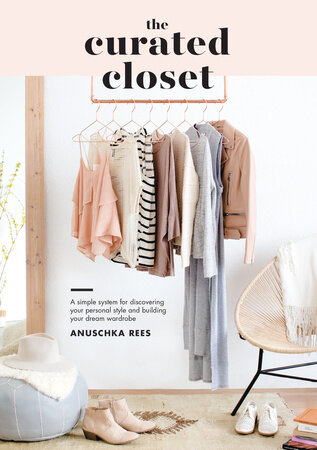 The Curated Closet
Personal palettes, repeatable combinations, and noticing what you actually like to wear.
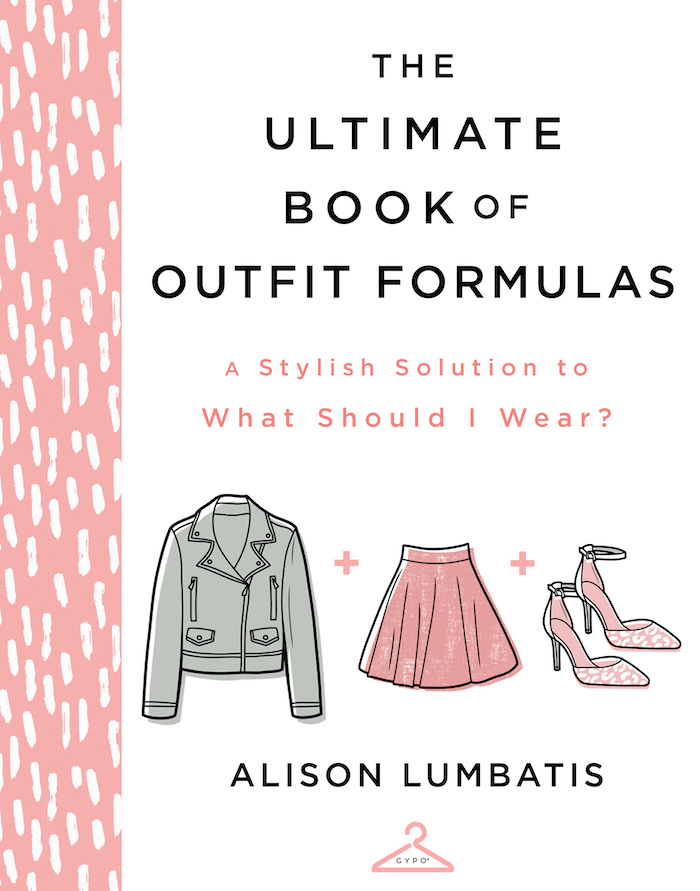 The Ultimate Book of Outfit Formulas
Starting with an outfit formula, then making it your own through substitutions and details.
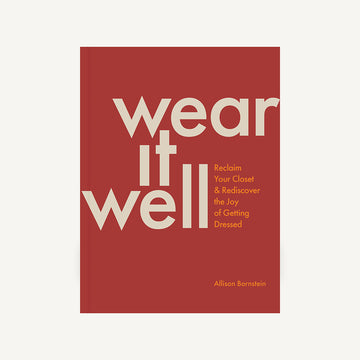 Wear It Well
Finding words for your style and giving overlooked pieces another try with familiar favorites.
I still want room for the unexpected color, the piece I love for a photograph, or an outfit that feels like me even when it doesn't fit a neat formula. The principles give me somewhere to start and something to experiment with.
A few more favorites
Pick your moment and set up
A closet audit sounds serious, but it can be a lovely way to spend part of a cleanout day. Put on something good to listen to, clear a little floor space, and start with a drink.
First, make coffee. Then, make matcha.
Coffee and matcha2 images · select to expand
Photographing your clothes is usually the longest part of building a digital closet. That's why a closet cleanout is such a good time to do it: you're already handling each piece. A seasonal swap works just as well. I've always lived in small apartments, often studios, so my out-of-season clothes have usually lived in suitcases under the bed or in the closet. Only the clothes for the current season stay within reach. When those suitcases come out, I can review and photograph things before putting them away again.
Receipts can give you a head start. StyleMeMama has email forwarding set up on web and iOS. Copy your unique forwarding address from Wardrobe Settings and forward individual shopping receipts or order confirmations to it. If your AI assistant has access to your email and can send messages, you can ask it to forward those receipts to your address for you. Review the imported items and details before accepting them into your wardrobe. It's a useful way to reduce the photographing and typing, especially for recent purchases.
If you keep reaching for the same few outfits while forgetting what's in the back of a drawer, an audit gives those other pieces a chance. Here's a way to see what you own, add it to StyleMeMama, and make getting dressed a little easier.
Choose a cleanout day, a laundry day, or the day you switch clothes between storage and your closet. You don't need to empty every drawer at once. One category, such as tops or shoes, is enough for a first session.
A useful first session can be just a few pieces and one saved outfit. Pick clothes you might wear together this week, photograph them, and add them to My Wardrobe. Use Build a look to save a combination you want to try. You can return to the rest of your closet another day.
Make space for four groups: keep in rotation, store for another season, repair or clean, and pass along. Keep a bag or box nearby for each. Your goal is to make a decision about each piece while it's already in your hands.
Setting up for a closet cleanout3 images · select to expand
Look at what you actually wear
Pick up each item and ask a few ordinary questions: Does it fit comfortably? Do I like wearing it? Does it work for my life now? Can I name an outfit I'd wear it with? If it needs a button, a hem, or a wash, put it in the repair or clean group rather than letting it disappear back into the closet.
Your routine may have changed since you bought something. Office clothes, going-out clothes, and clothes from a different climate can take up space long after your week looks different. Ask what you need for the days you actually have now. An occasional favorite can stay without becoming part of your everyday rotation.
Try on the pieces you haven't worn in a while. Sit down, walk around, and raise your arms. Notice whether the waistband feels comfortable, the fabric pulls, or you keep adjusting the fit. Check how it feels on your body today and whether you still enjoy wearing it.
A cleanout is also a good opportunity to donate clothes or bring them to a clothing swap. If a piece no longer fits comfortably or suits your life, and it's in good condition, set it aside for someone else to enjoy. Keep anything that needs a repair or alteration in its own group so you can decide whether that next step is worth it to you.
Try on the pieces you're deciding about3 images · select to expand
There isn't a rule that says every piece must match your palette or be worn a certain number of times. Occasion clothes, sentimental pieces, and favorites outside your usual colors can still earn their space. The audit is about seeing what you have and making room for what you want to wear.
Imagine a sweater you like but haven't worn recently. If it fits and you can picture wearing it when the weather turns, it may belong in seasonal storage. If a loose button is the only thing stopping you, give it a repair task. If the fabric bothers you every time you put it on, ask whether you're likely to reach for it even after making space for it.
For something you're unsure about, try it on with pieces you already own before deciding. A useful audit leaves you knowing why a piece stays and what it needs next.
Photograph the keepers
Before a piece goes back on a hanger or into storage, take its photo. Lay it flat or hang it against a simple background, use even light, and include the whole garment. Photograph similar items in a batch so you don't have to reset your little photo spot for every piece.
For each piece, take three photos: the main garment photo, the brand label, and the fabric or care label. Make the label text readable so you can refer back to the brand, size, fabric composition, and care instructions when entering the item's details.
If the extra label shots start slowing you down, get the main photos first and come back to the labels. You can start using your closet before every detail is filled in.
Start with the clothes in your current rotation. If you're swapping seasons, photograph the outgoing pieces as you pack them and the incoming pieces as you unpack them. You can split this over several sessions. A useful digital closet grows faster from ten clear photos you can recognize than from a rushed photo of everything.
Add your clothes to StyleMeMama
Open My Wardrobe, choose the right category, and add your photos. Give each item a recognizable name and check the color and garment details. Add notes that will help you later, such as “needs a camisole,” “packed under the bed,” or “great for work.”
You can record purchase details and update wear counts if you'd like to use those parts of Wardrobe insights. Don't let missing information stop you from adding an item; you can return to its details later.
That work stays useful beyond this cleanout: you can export your photos, item details, and saved outfits as a ZIP from Wardrobe Settings on the web. The steps are at the end of this guide.
Open an item's details to enter its category, brand, name, color, and other garment information. You can also keep photos of the brand and fabric tags alongside the main photo. Some details can come in automatically when you forward an order receipt; review them and fill in anything that's missing.
When you add a Color swatch, StyleMeMama shows the seasonal palettes it matches under Color seasons matched. Use Change — pick from photo to sample the garment's color, or enter a hex code if you have one. In the example below, the selected swatch matches both Soft Autumn and Soft Summer. A shade can appear in more than one seasonal palette.
Your wardrobe and item details2 images · select to expand
Your first photo only needs to help you recognize the item. If you'd like a calmer, more consistent view of your digital closet, you can turn a busy photo into a flat lay later. Removing the room, hanger, and other background distractions makes individual pieces easier to see at a glance and easier to work with when you build outfits.
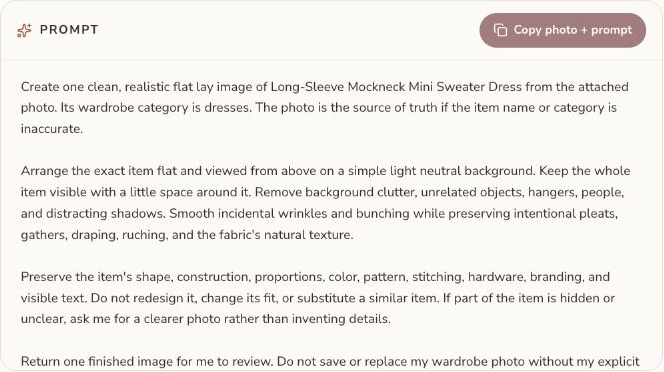
In My Wardrobe, open Use your AI to enrich your wardrobe, choose an item, and select Copy photo + prompt. Paste it into your own ChatGPT chat and ask for the flat lay.
Check the result against your original photo. Look at the color, pattern, shape, and details before saving it. If it still represents the piece you own, use Replace photo on the wardrobe item.
StyleMeMama supplies the prompt; the image is created in your own ChatGPT account. ChatGPT image generation is available with plan-dependent limits, so you can use the image access included with your account without a separate StyleMeMama image fee. You can keep your original photo if the flat lay changes a detail you care about.
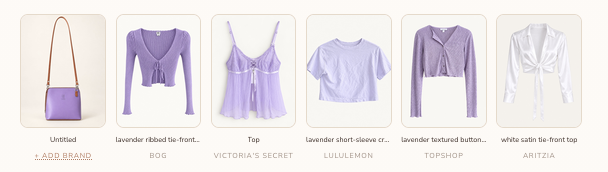
You can enable receipt forwarding in Wardrobe Settings and send clothing or beauty order confirmations to your personal forwarding address. On web or iOS, open Wardrobe Settings in My Wardrobe, find the Receipts section, and copy your unique forwarding address. On the web, you can open Wardrobe Settings here.
Then open an individual order confirmation in your email, choose Forward, and send it to that address. Forward each order email separately. The detected item should appear in your Review queue, where you can check the details and choose to accept it into your wardrobe or dismiss it. Receipt forwarding is still in beta, so results can vary by retailer and email format.
Get to know your closet with Insights
Once a few pieces are in My Wardrobe, open Insights. The three views help you look at what you own, how it relates to your style profile, and the details behind an individual piece.
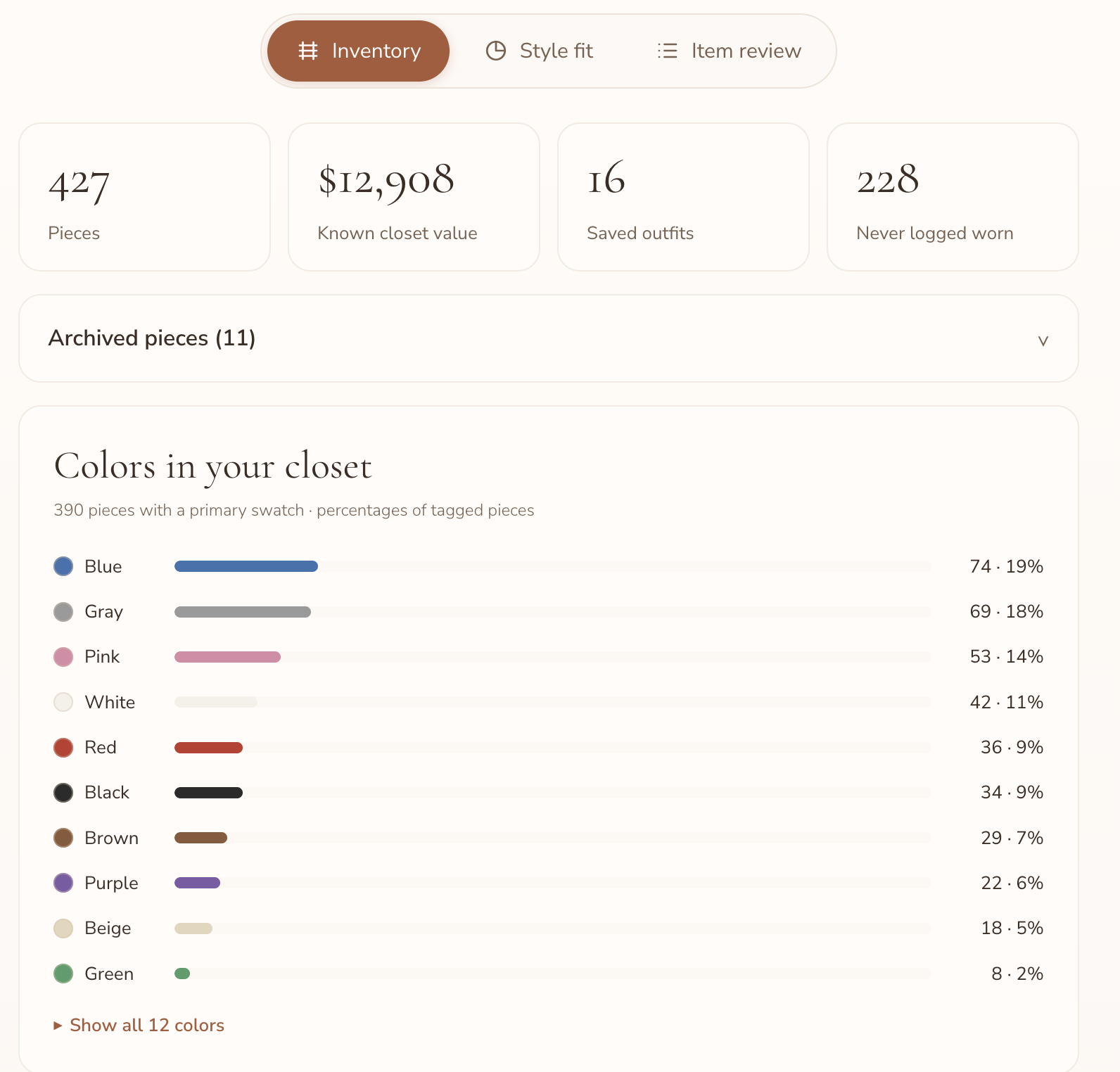
Start with Inventory to explore your color mix, saved outfits, and the purchase and wear information you've entered. Look for things you have plenty of, things you keep wearing, and items you forgot you owned. Known closet value reflects the prices you've recorded, and “Never logged worn” means no wear has been logged in the app. The numbers reflect what you've added and recorded.
Give yourself a question to investigate: “Do I already have enough blue tops?” or “What did I pack away last spring?” Browse your items alongside the inventory breakdown, then check your storage notes. Seeing what you own can help you rediscover a piece before buying something similar.
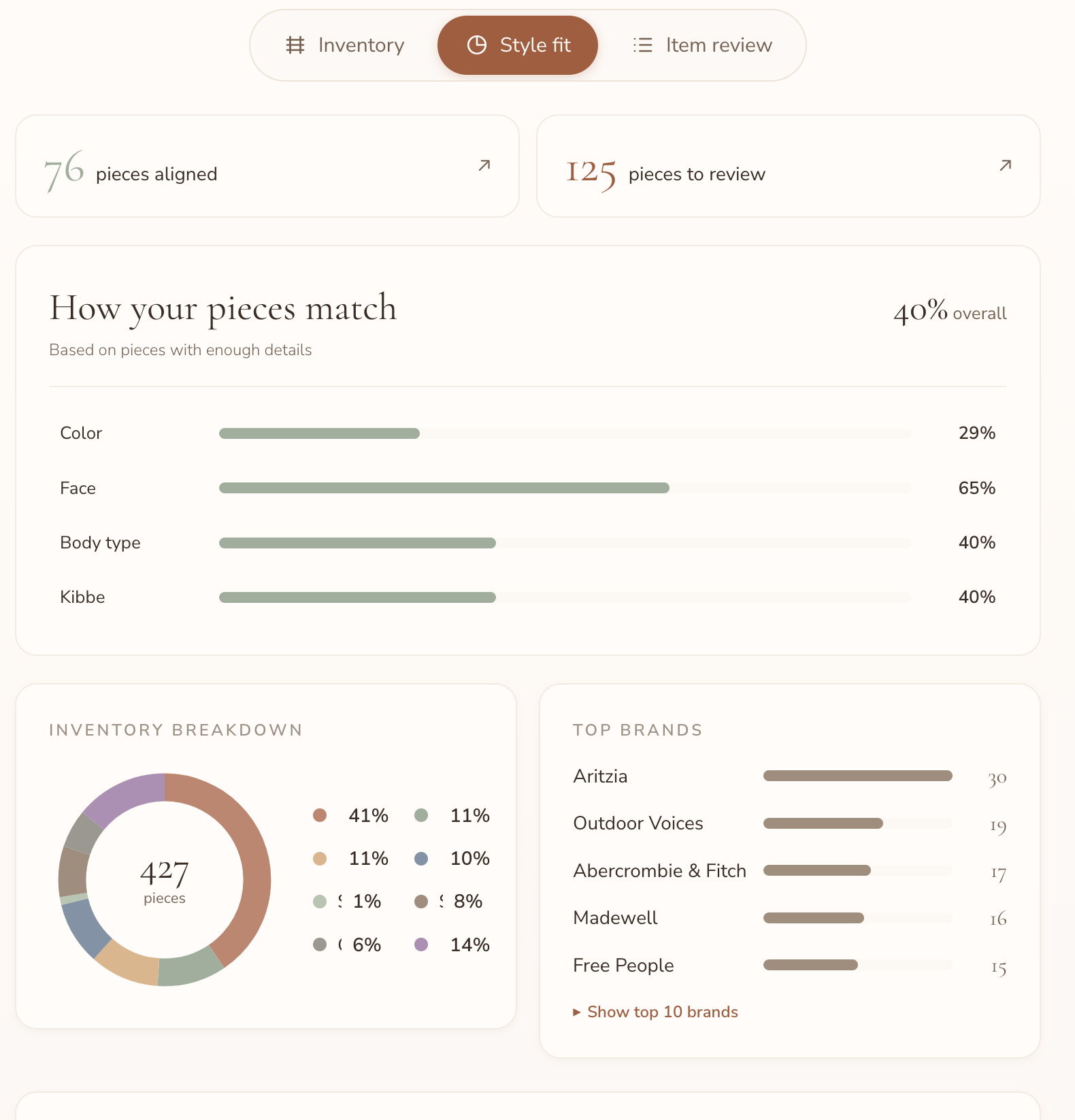
If you've filled in your color season, body shape, face shape, and Kibbe ID, Style fit shows how pieces with enough details relate to that profile. Explore the color, face, body type, and Kibbe breakdowns to see where you might want a closer look.
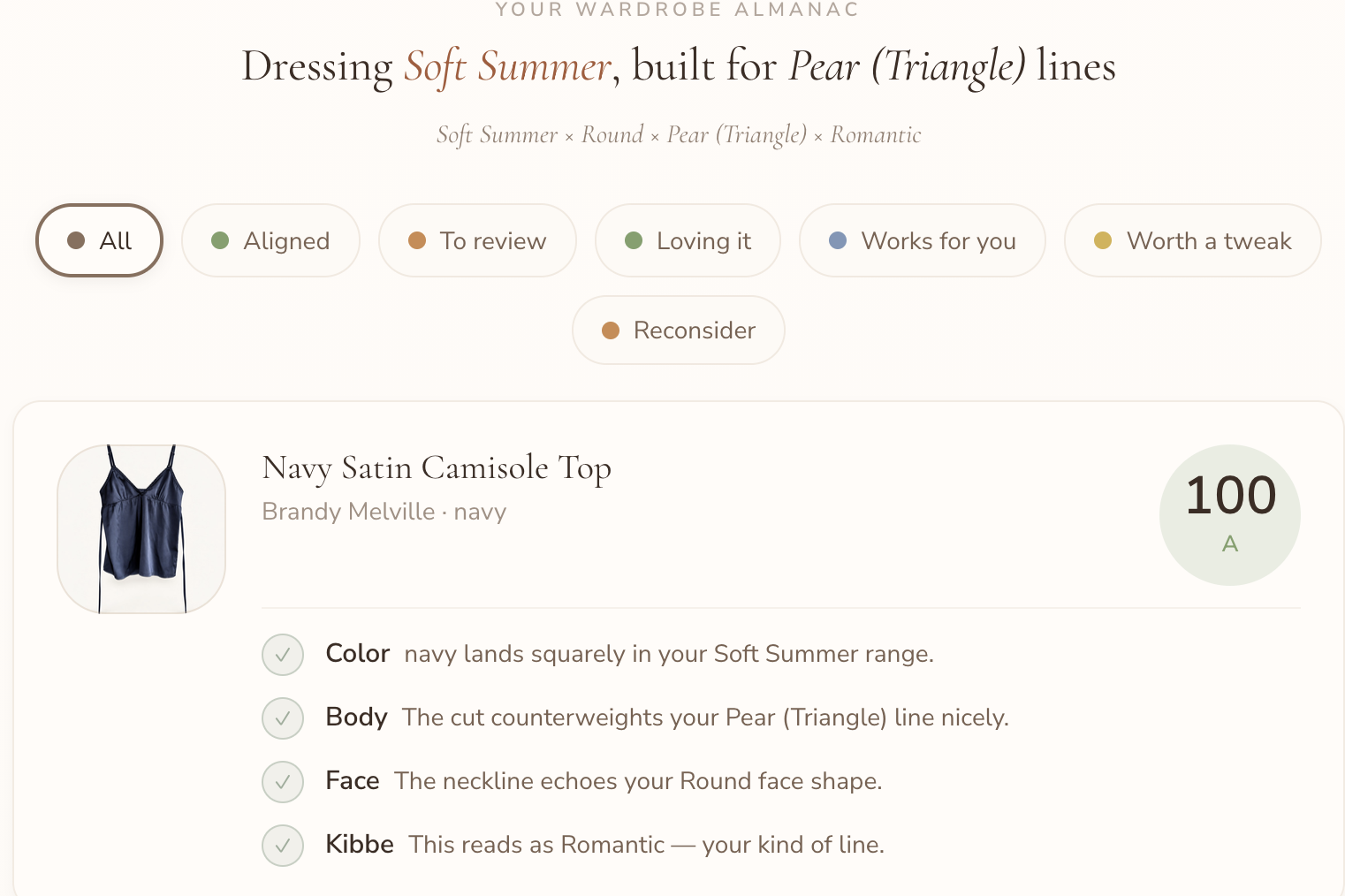
Open Item review to read the explanations for individual pieces. In this example, a navy camisole has separate notes about its color, cut, neckline, and Kibbe lines. Use those details to think about how you'd wear the piece. A beloved item outside your usual palette can still earn its space, and you can use Build a look to save combinations you want to try.
Put everything back with a plan
Return the current-season keepers to easy-to-reach space. Label the stored group so you'll know where to find it next season. Set aside the repair group where you'll actually see it, and finish the pass-along step in whatever way works for you.
Save a look you liked during the try-on so you don't have to remember the combination next week. A photo of yourself wearing it can also help you remember how it felt and fit.
Before buying something new, check your digital closet. Is there already a similar piece? Can you make an outfit with what you own? If you have a specific gap, Fit Check can help you consider a potential purchase alongside your style profile and wardrobe.
A first audit doesn't have to be perfect. One shelf, a few photos, and one outfit you want to wear again are a real start. Next season, your photos and notes will be there when the suitcases come back out.
Keep a copy of your work
Your wardrobe data is yours. On the web, open Wardrobe Settings and choose Download .zip under Export your wardrobe. You can do this whenever you want a backup or a copy to keep elsewhere.
The ZIP contains the photos currently saved with your wardrobe items, a wardrobe.json file with the details you've entered, and your saved outfits and folders. That means the time you spent photographing clothes, adding notes, and organizing looks can come with you. If you have a large wardrobe, give the download a little time to prepare.
Open My Wardrobe and start with one category.
Want to give your digital closet a place in your room? Here's how I'm bringing it to a digital photo frame with Codex.